
On this page
Visual Tour
Docs home · Quickstart · 简体中文
These real Desktop captures and TUI previews show the main work and decision points on both first-class surfaces.
Desktop Workbench
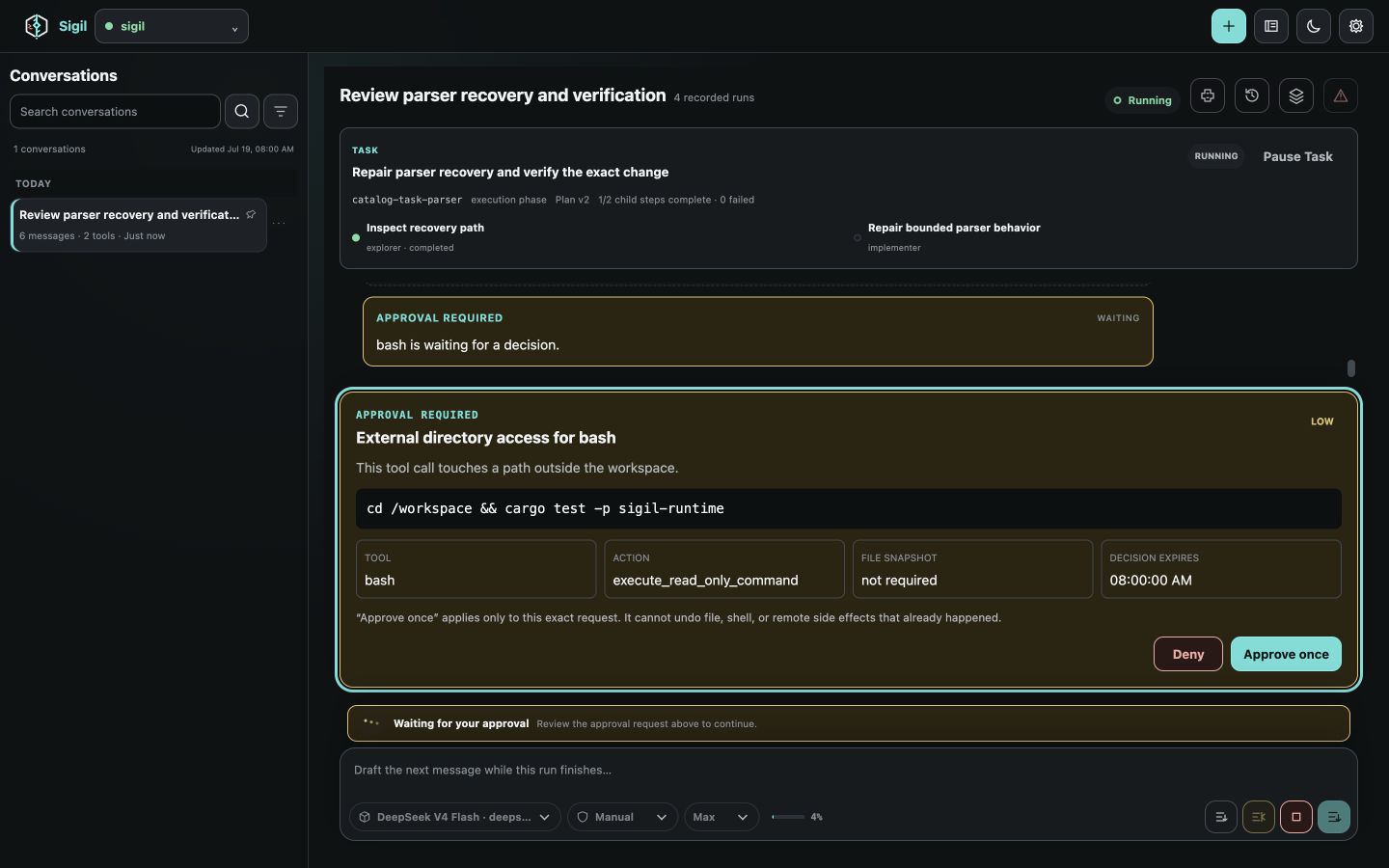
The Desktop workbench keeps the saved conversation list, current plan, streamed output, tool activity, approvals, queue, and composer in one bounded workspace.
Desktop Settings
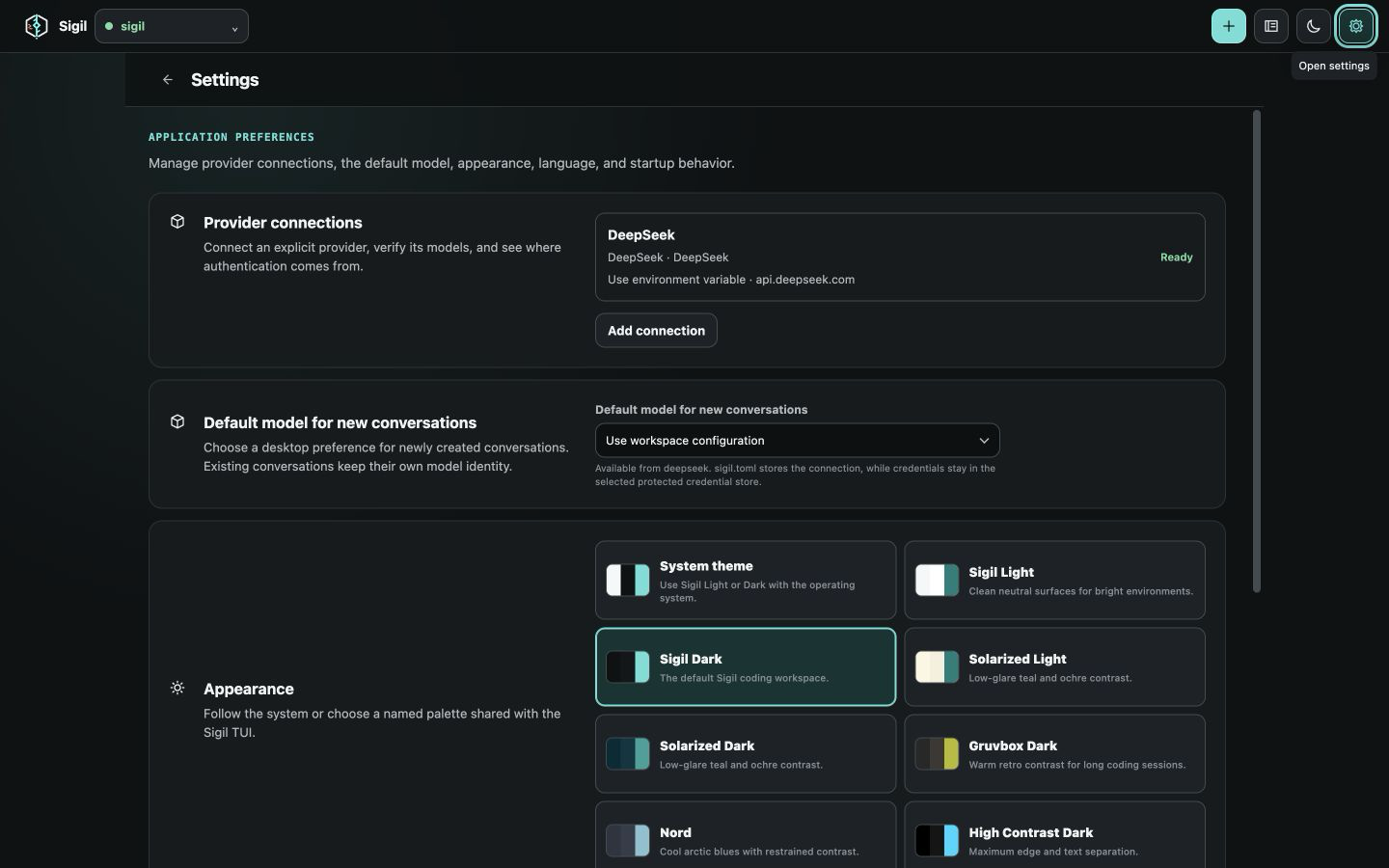
Use the native settings surface for provider and model defaults, appearance, startup behavior, and diagnostics.
Main TUI Session
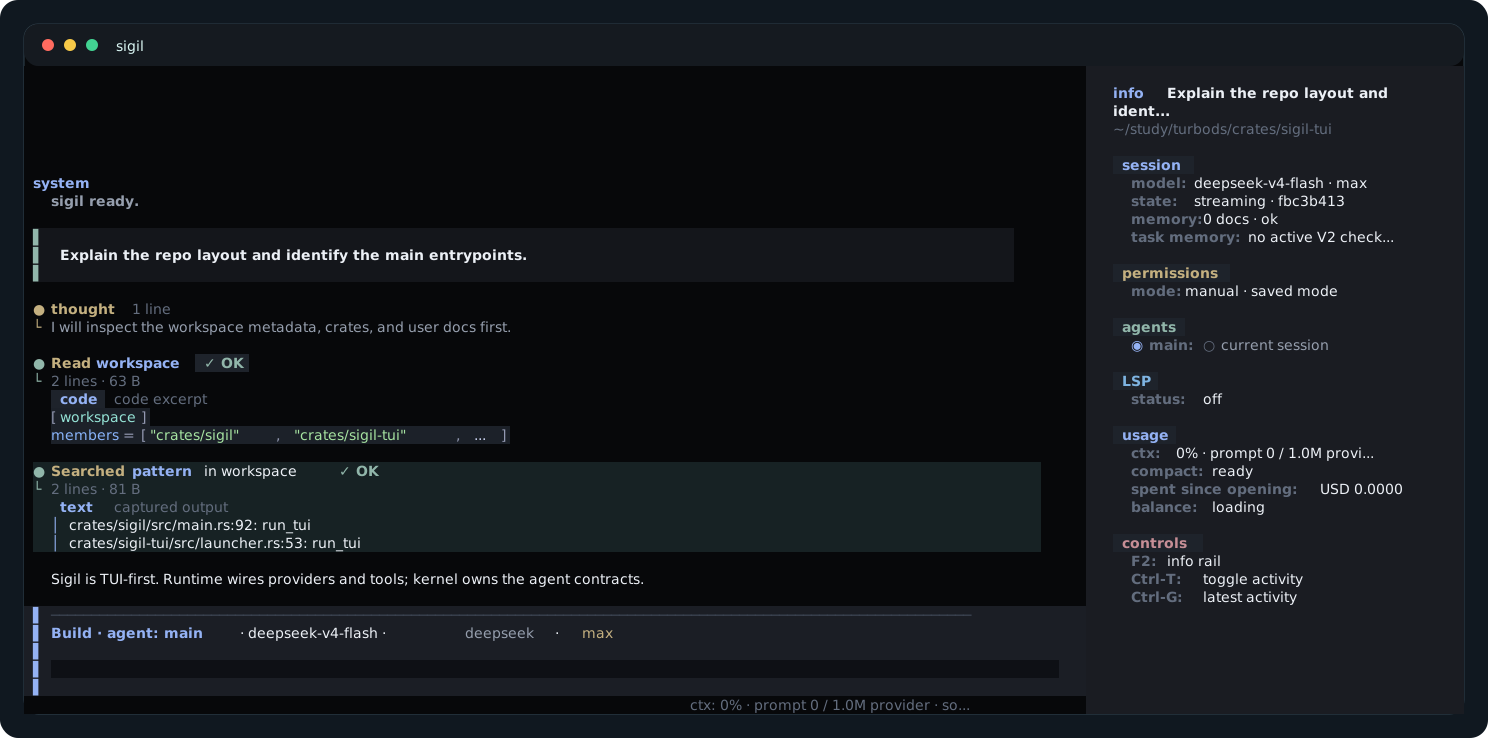
Write in the composer, follow tool activity in the transcript, and use the info rail for current session and permission status.
AI-Planned Task Execution
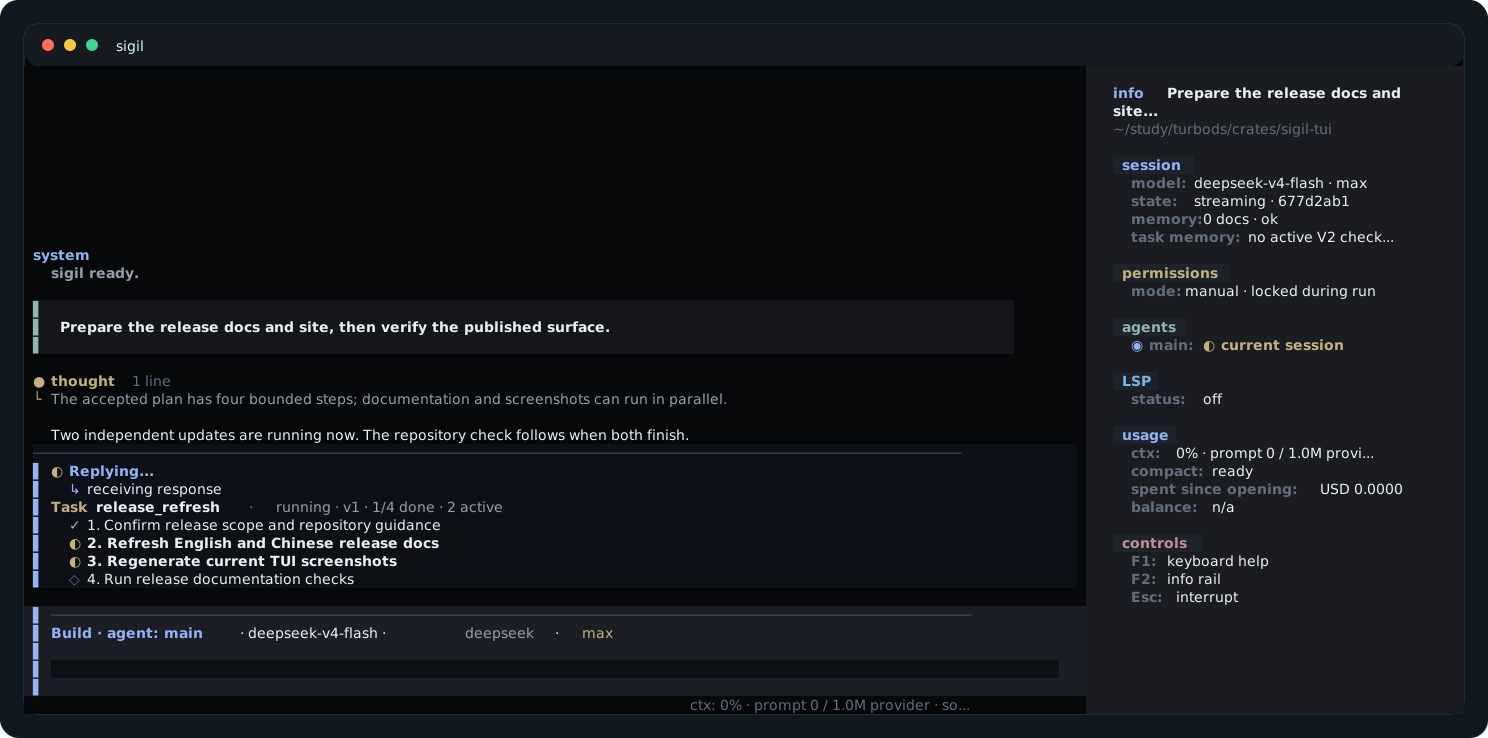
Give Sigil a larger goal and it can turn that goal into visible steps, run independent work in parallel, and finish at a verification checkpoint. Starting from /plan keeps the proposed steps read-only until you accept them; individual risky actions still follow their normal approvals.
Approval Review
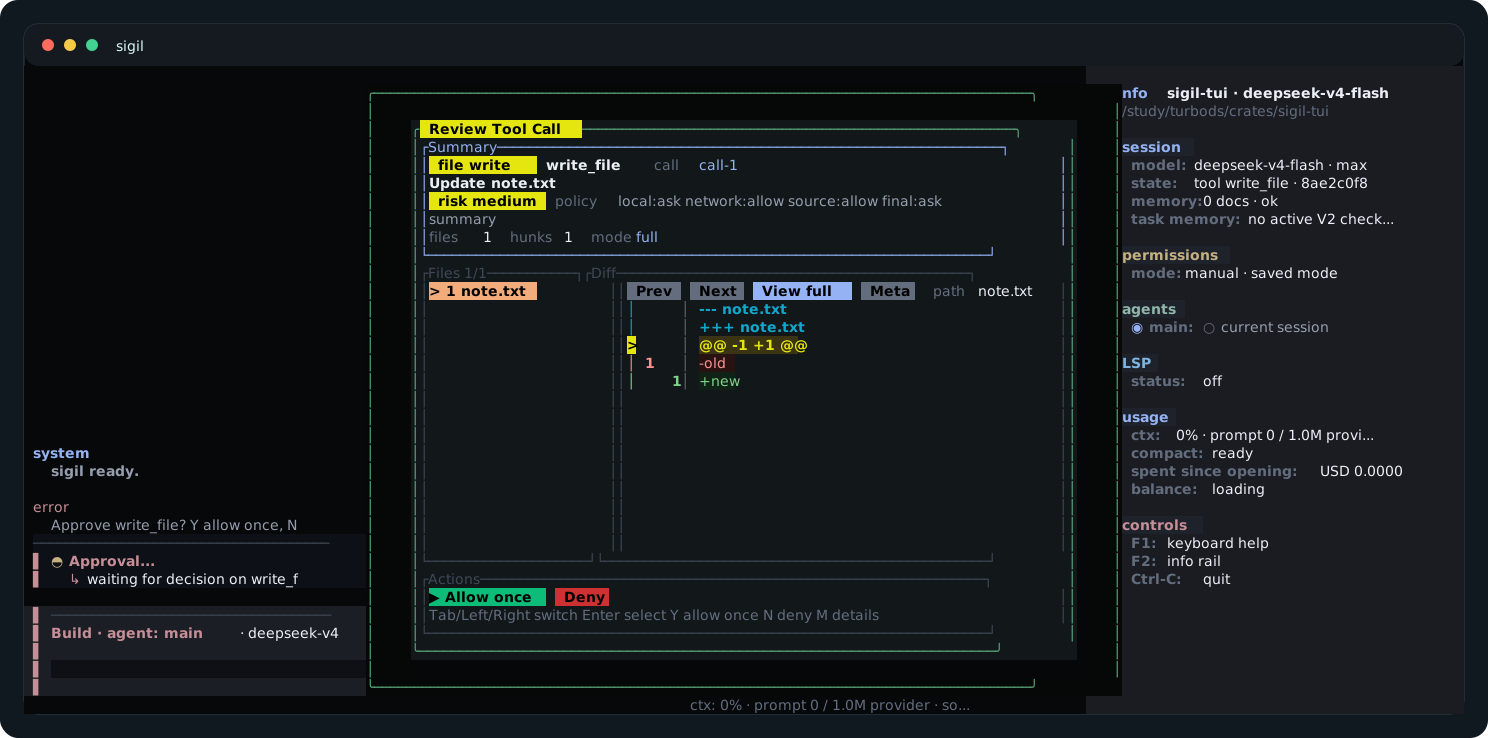
Check the exact action, detected effects and targets, requested execution limits, and any diff before deciding. Risk explains potential impact; it is not itself the approval rule. After an exact command receipt is accepted, both Desktop and TUI leave the waiting state immediately.
Configuration Panel
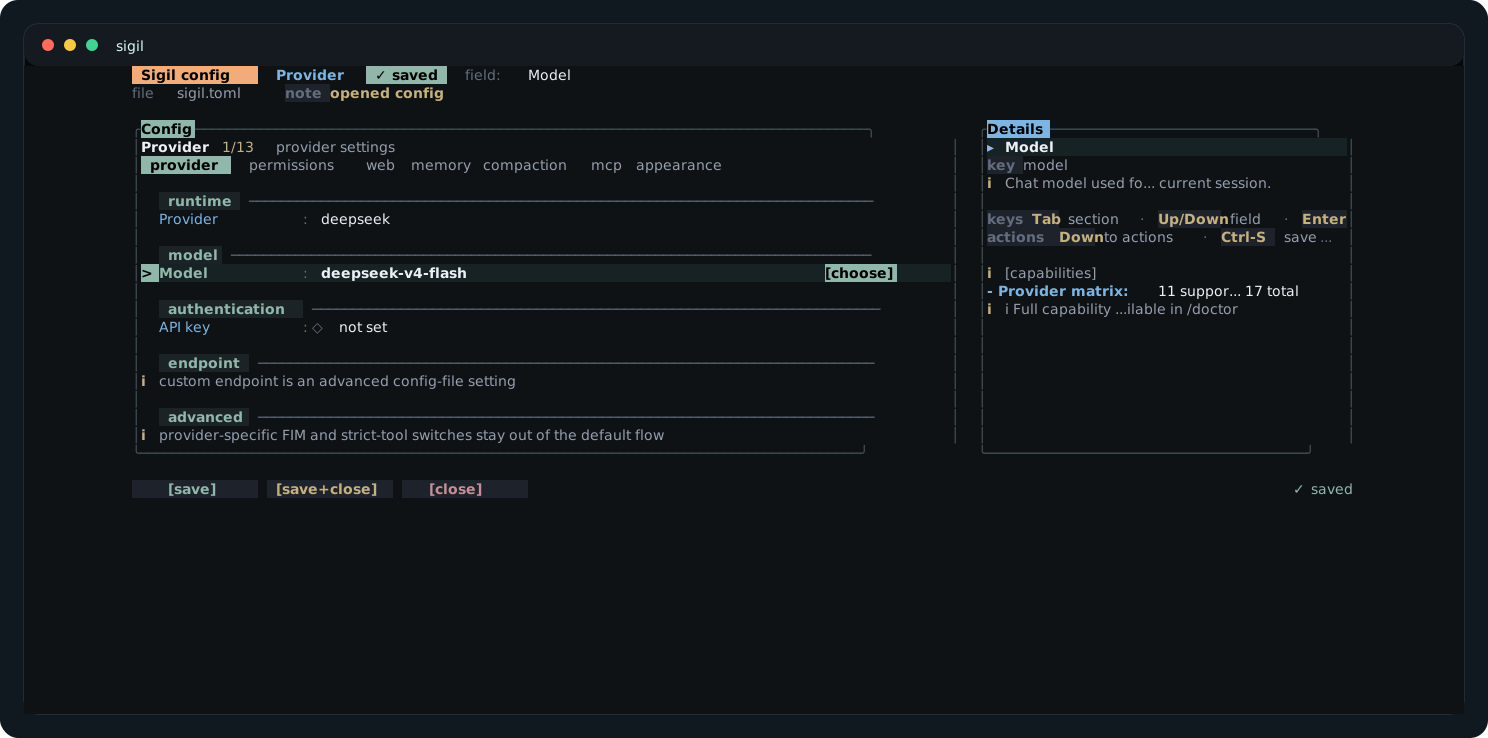
Use /config for common settings; open the linked reference when you need an exact field.
Task Verification
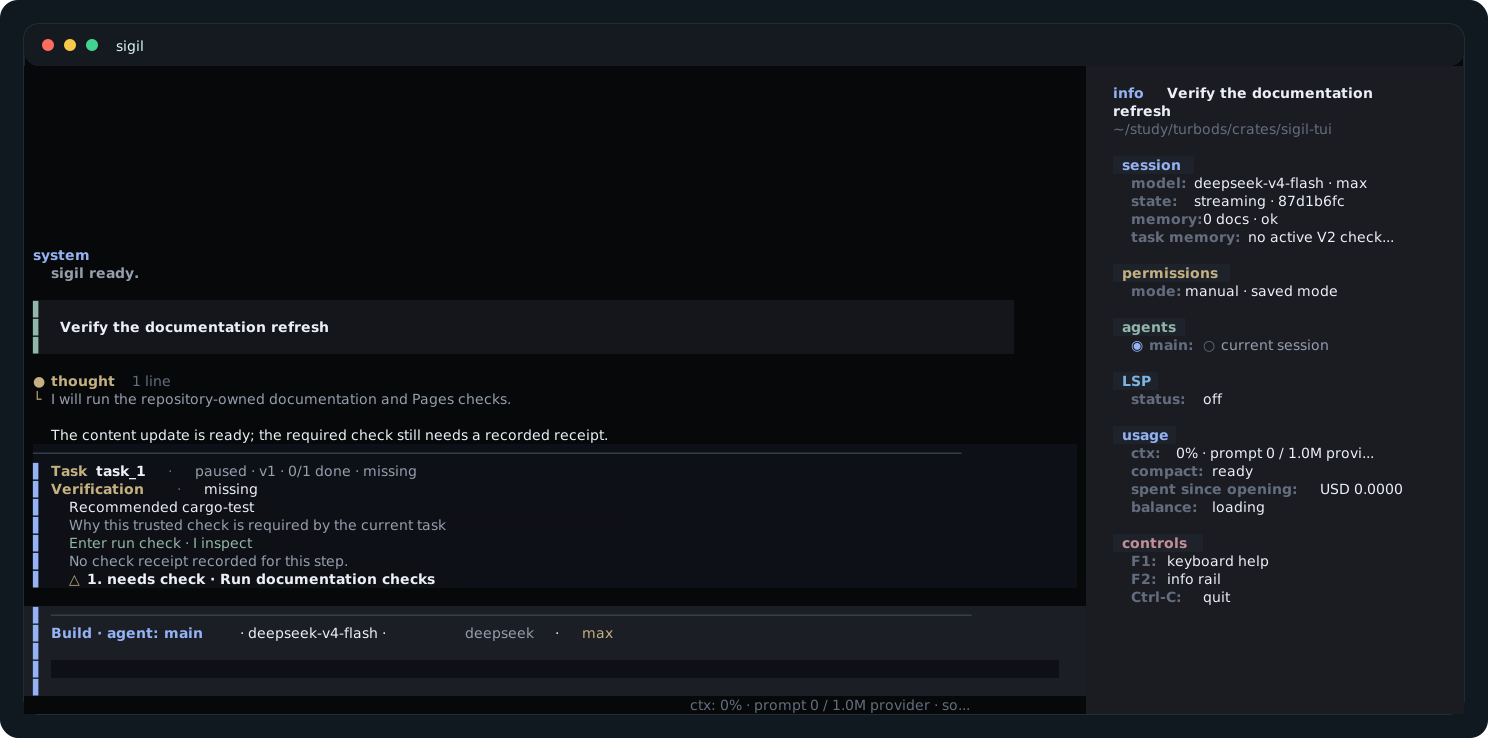
The Verification card shows the recommended check and its current result. Press Alt-V to focus it.
Checkpoint Restore
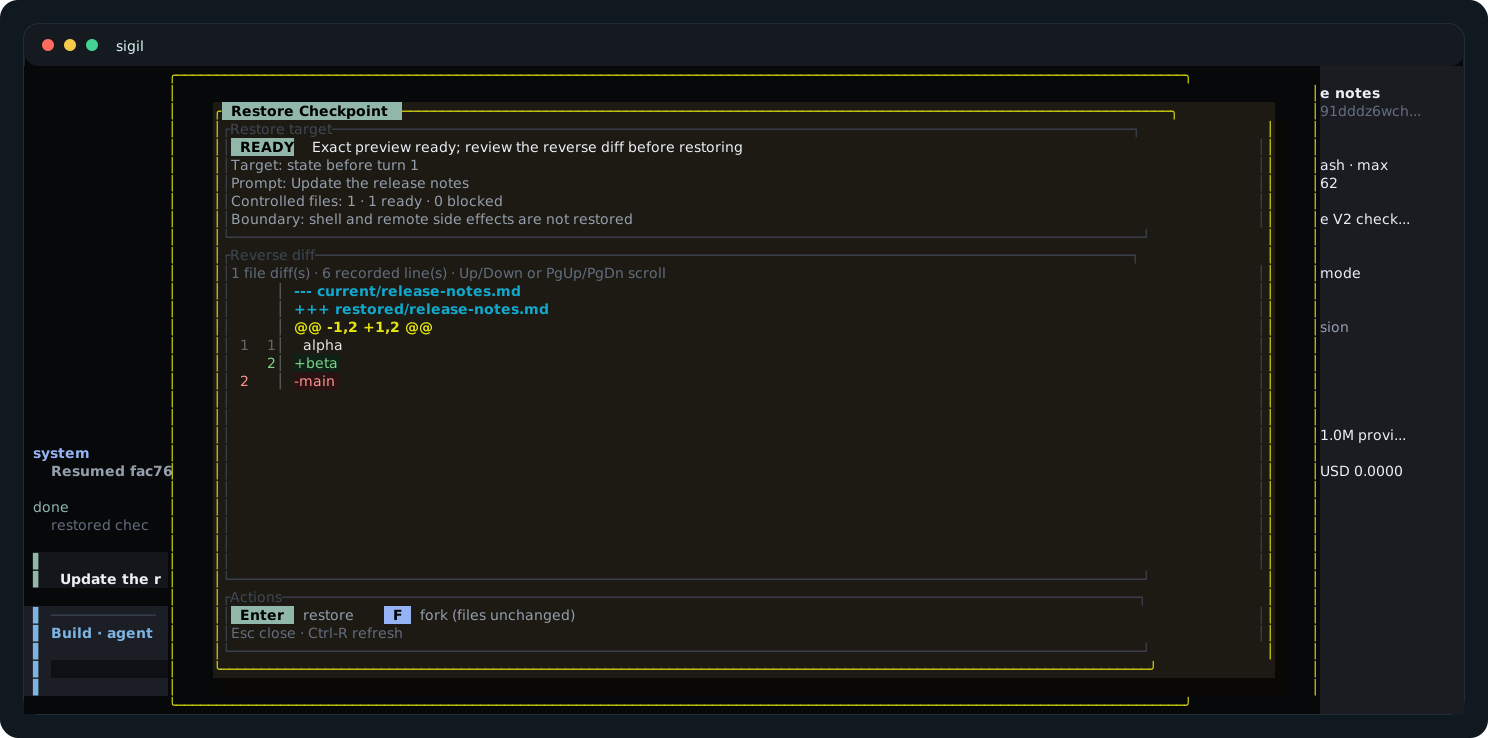
Press Ctrl-R to review a file restore or fork the conversation without changing shared files.
Context Compaction
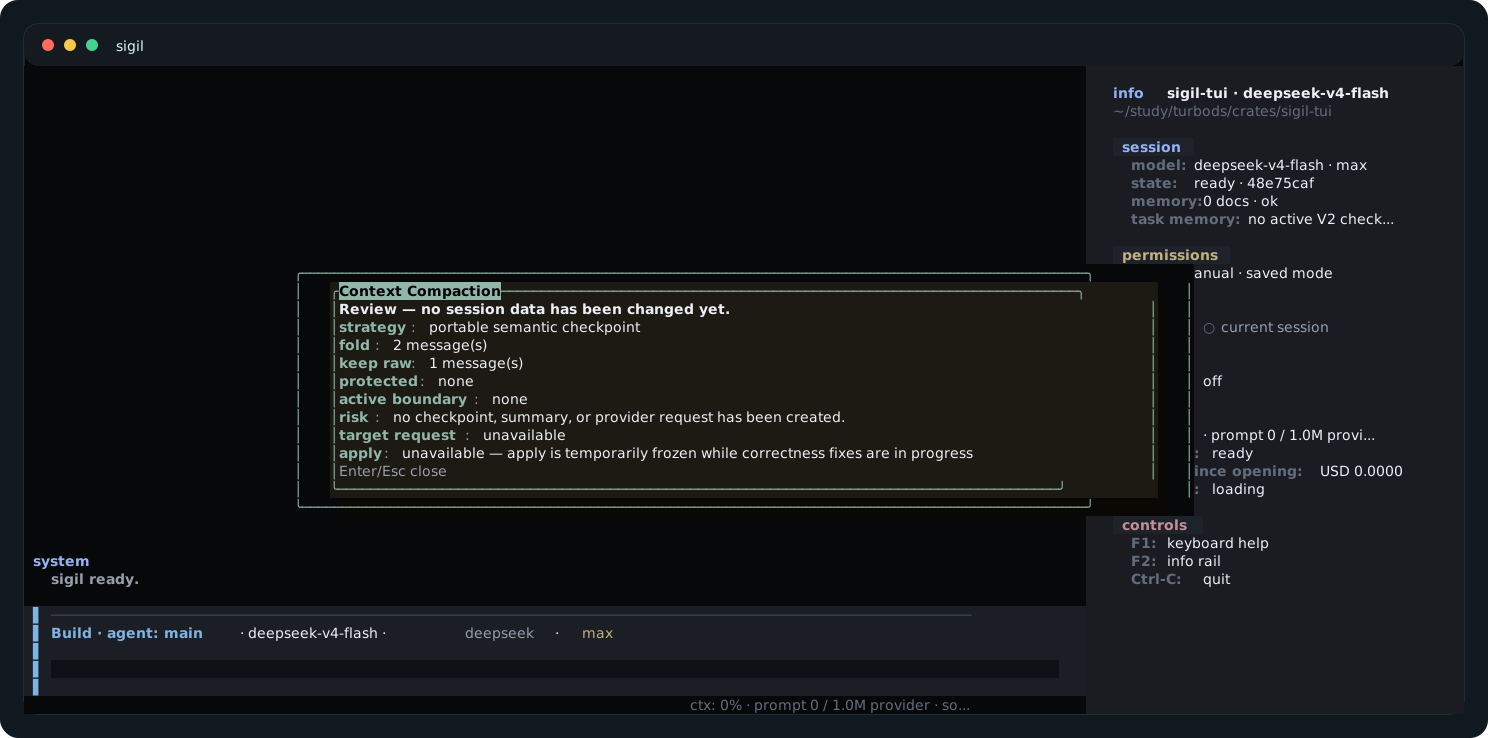
/compact is itself explicit intent: one invocation generates, validates, and activates a recoverable checkpoint. Failures keep the current context and remain visible; there is no redundant confirmation step.
Next: Start with Quickstart.