

DesktopWorkspace tour

Desktop + TUI coding agent
Repository work,
on your surface.
Give Sigil a goal, review its plan, follow parallel work, and decide what happens next from Desktop or terminal.
Early preview
Desktop and TUI are coequal product surfaces. The public macOS Desktop beta is signed and Apple-notarized for Apple Silicon and Intel; the matching TUI preview uses npm's
beta tag. Review current support and the changelog before adopting Sigil.
/task audit the release docs
- goal Refresh release docs, site, and screenshots received
- plan Four bounded steps with one final check accepted
- parallel Docs and product captures update independently 2 active
- verify Pages layout and links are healthy passed
- result Documentation is ready to publish ready
work saved
plan and changes reviewed
checks passed
Desktop + TUI demos
Choose the surface that fits the work.
The Desktop tour uses real application captures. The TUI recording shows a real repository edit from request through approval, verification, and session recovery.
TUI45-second real edit
Quickstart
Download Desktop or install the terminal app.
1
Start
cd /path/to/your/project
sigil
2
Set up
Quick Setup opens when configuration is missing. Choose a provider and model, then add authentication. See Installation for every supported package path.
Visual tour
See the work and the decision points.
Why Sigil feels different
The important parts stay visible while the agent works.
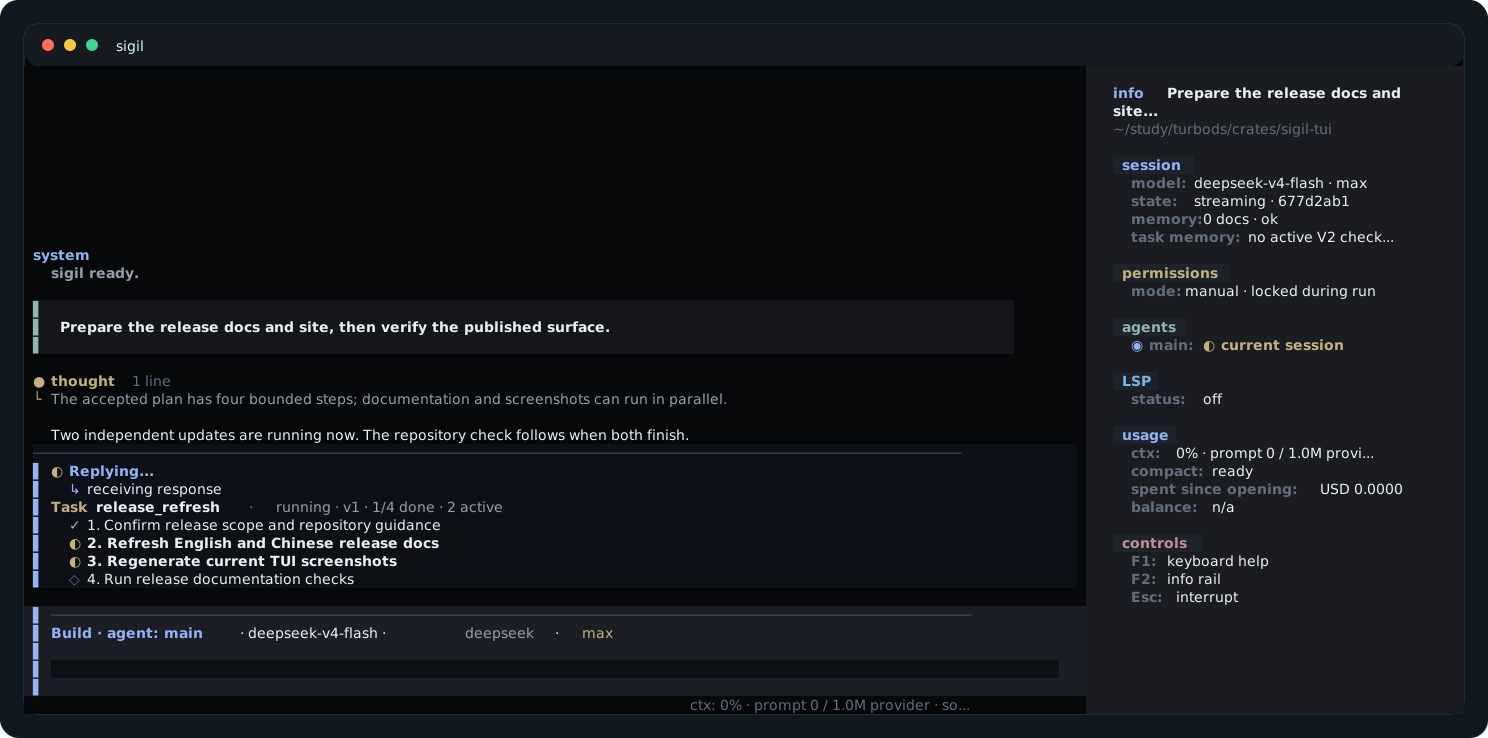
Plan before execution
Turn a goal into reviewable work
Sigil generates visible steps, runs independent work in parallel, and brings the result to a verification checkpoint without hiding the decisions in logs.
- Accepted plan stays visible
- Parallel steps remain inspectable
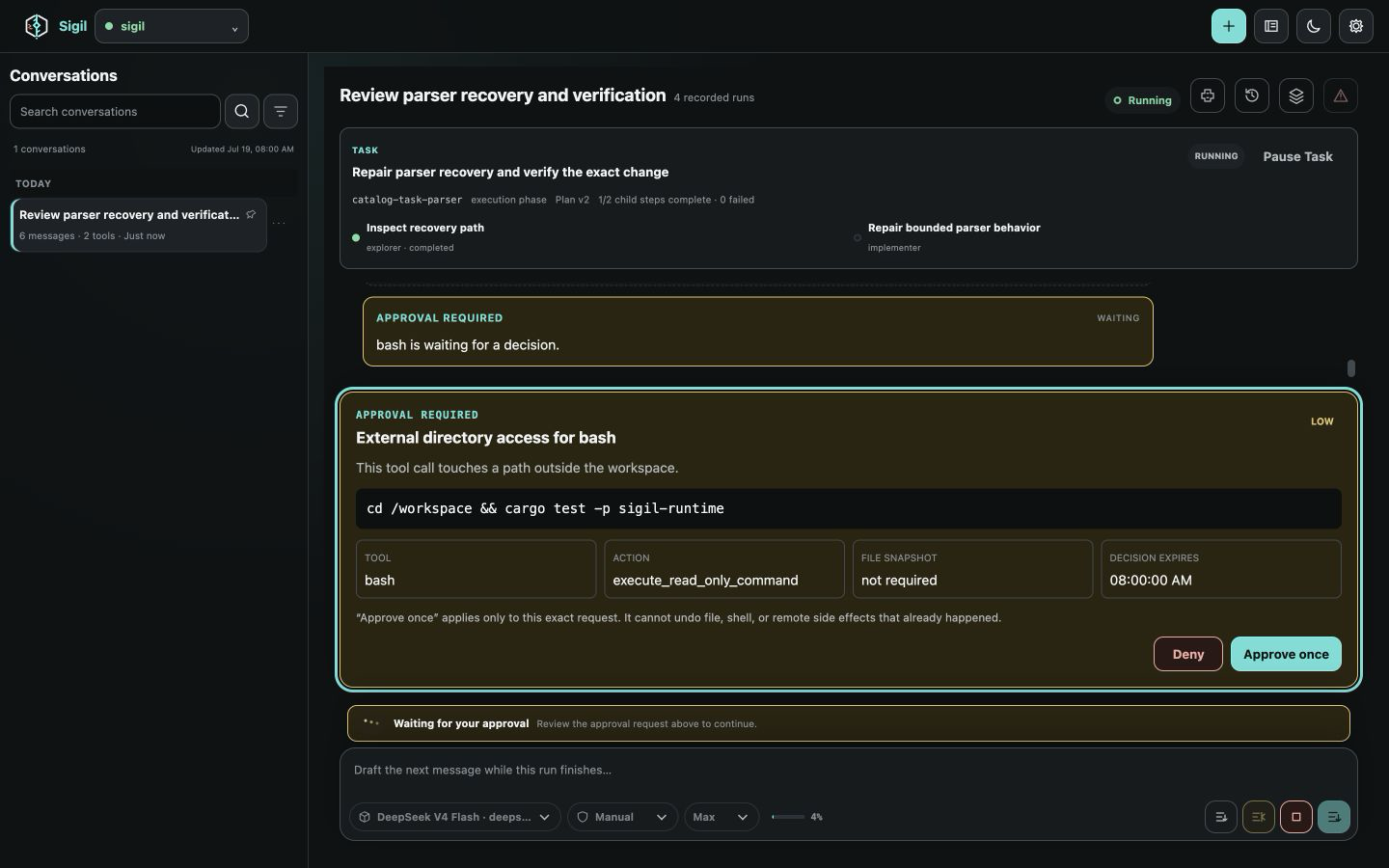
Decide before action
Pause before risky work
Before an action runs, Sigil separates detected effects from policy, shows its targets and execution limits, then asks only when an exact decision is required.
- Effects, targets, and containment
- Exact one-time or bounded session decision
Return with confidence
Come back without losing the thread
Saved sessions preserve the conversation and tool history. Interrupted work is recorded honestly instead of being silently rerun.
- Conversation and task state
- Interrupted tools stay interrupted
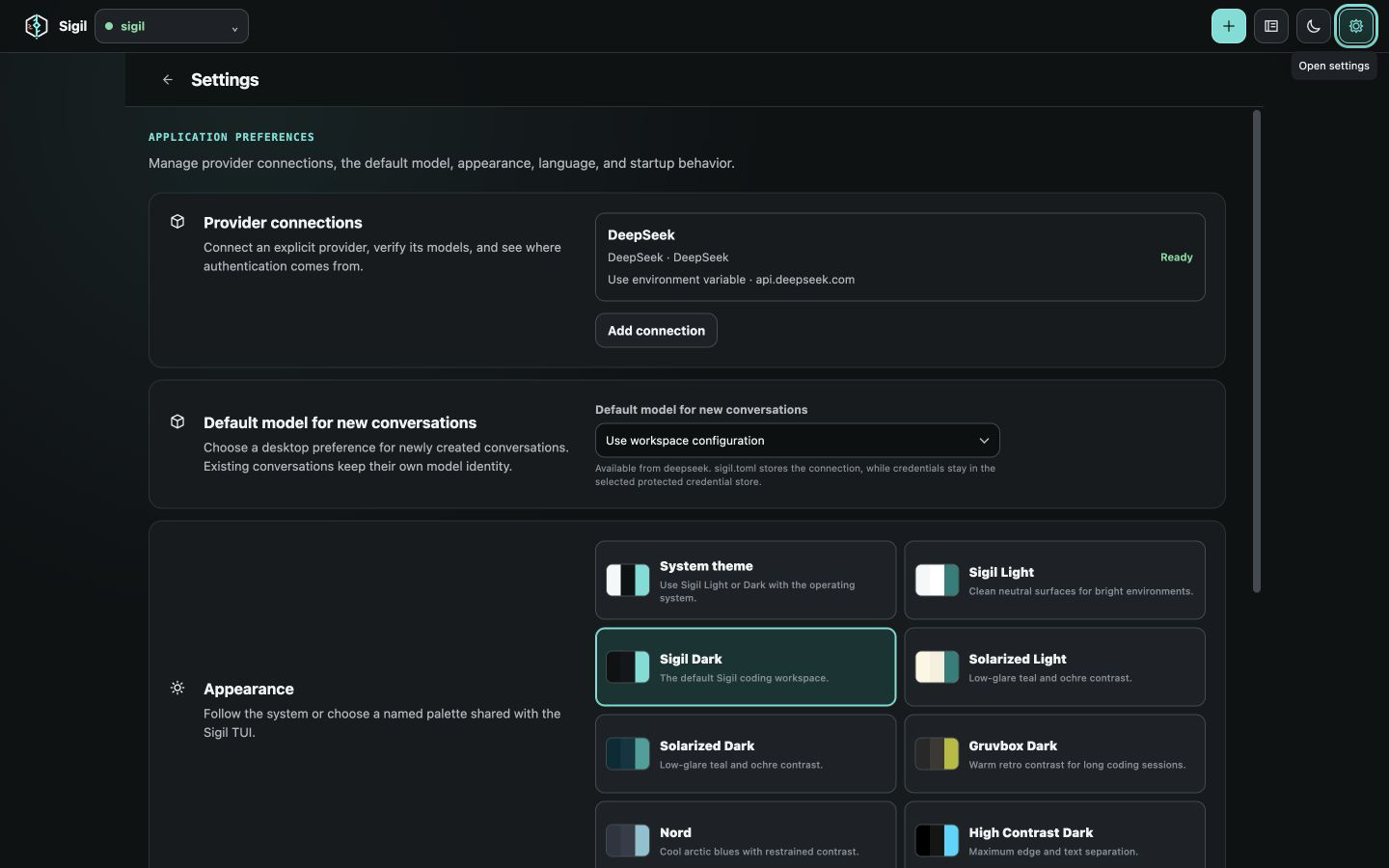
Fit the repository
Bring the model and tools you need
Choose a supported model service, connect MCP tools, and add repository-aware code intelligence without changing how work is reviewed.
- Five model integrations
- MCP and code intelligence
Safety model
Keep control where a decision matters.
Different actions have different limits. The Safety guide explains what to inspect before deciding; Permissions and sandbox covers the exact controls and platform boundaries.
Documentation
Open the guide that matches the job.
Quickstart
Install, launch, complete setup, run diagnostics, and make the first safe edit.
Workflows
Follow practical checkpoints for exploring, editing, debugging, reviewing, and resuming work.
Config
Find the right page for model services, permissions, appearance, or advanced settings.
Troubleshooting
Fix common issues, preview a private support report, and open a structured bug form.